> ## Documentation Index
> Fetch the complete documentation index at: https://docs.replit.com/llms.txt
> Use this file to discover all available pages before exploring further.
# August 21, 2026
> 3 min read
## What's new
* [Work in Free Mode](#work-in-free-mode)
* [Start with Conversations](#start-with-conversations)
* [Automate recurring work with Routines](#automate-recurring-work-with-routines)
* [Steer Agent while working](#steer-agent-while-working)
* [Share and import Skills](#share-and-import-skills)
* [Control Agent models across Workspaces](#control-agent-models-across-workspaces)
* [Run black-box pen tests](#run-black-box-pen-tests)
## Agent
### Work in Free Mode
Use Free Mode to chat, explore ideas, create, and build without using Power Mode or Max Mode credits. Free Mode uses Auto to select a model, and its limits depend on your plan. Check **Settings** > **Usage** to see your remaining allowance and reset timing.
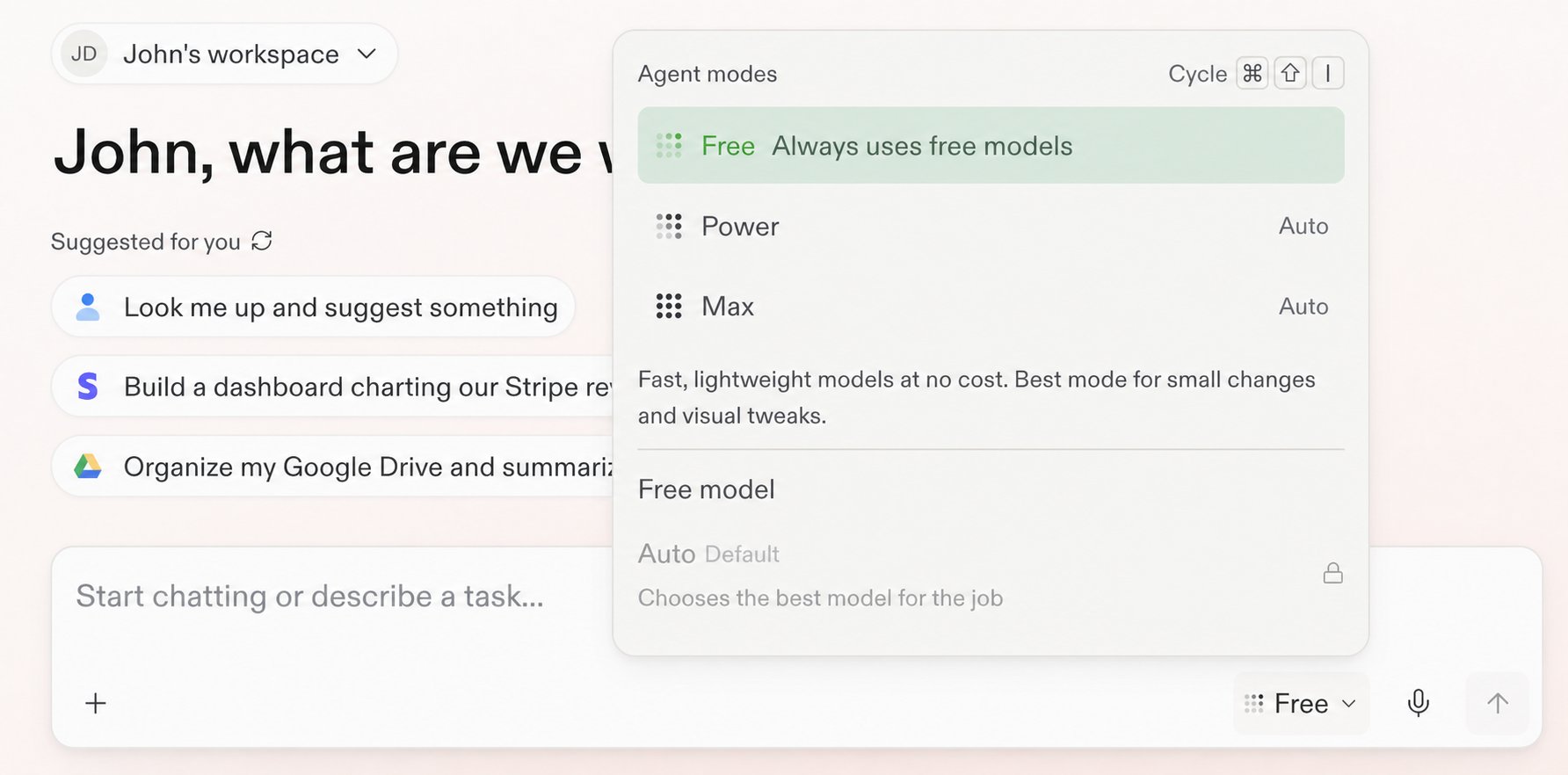 Learn how to [get the most out of Free Mode](/chat/free-mode).
### Start with Conversations
Start with a private Conversation to ask questions, explore information, attach context, run a Routine, or describe an outcome. When the work becomes substantial, ask Replit to turn the Conversation into a Project. Your context and files carry forward.
Learn how to [get the most out of Free Mode](/chat/free-mode).
### Start with Conversations
Start with a private Conversation to ask questions, explore information, attach context, run a Routine, or describe an outcome. When the work becomes substantial, ask Replit to turn the Conversation into a Project. Your context and files carry forward.
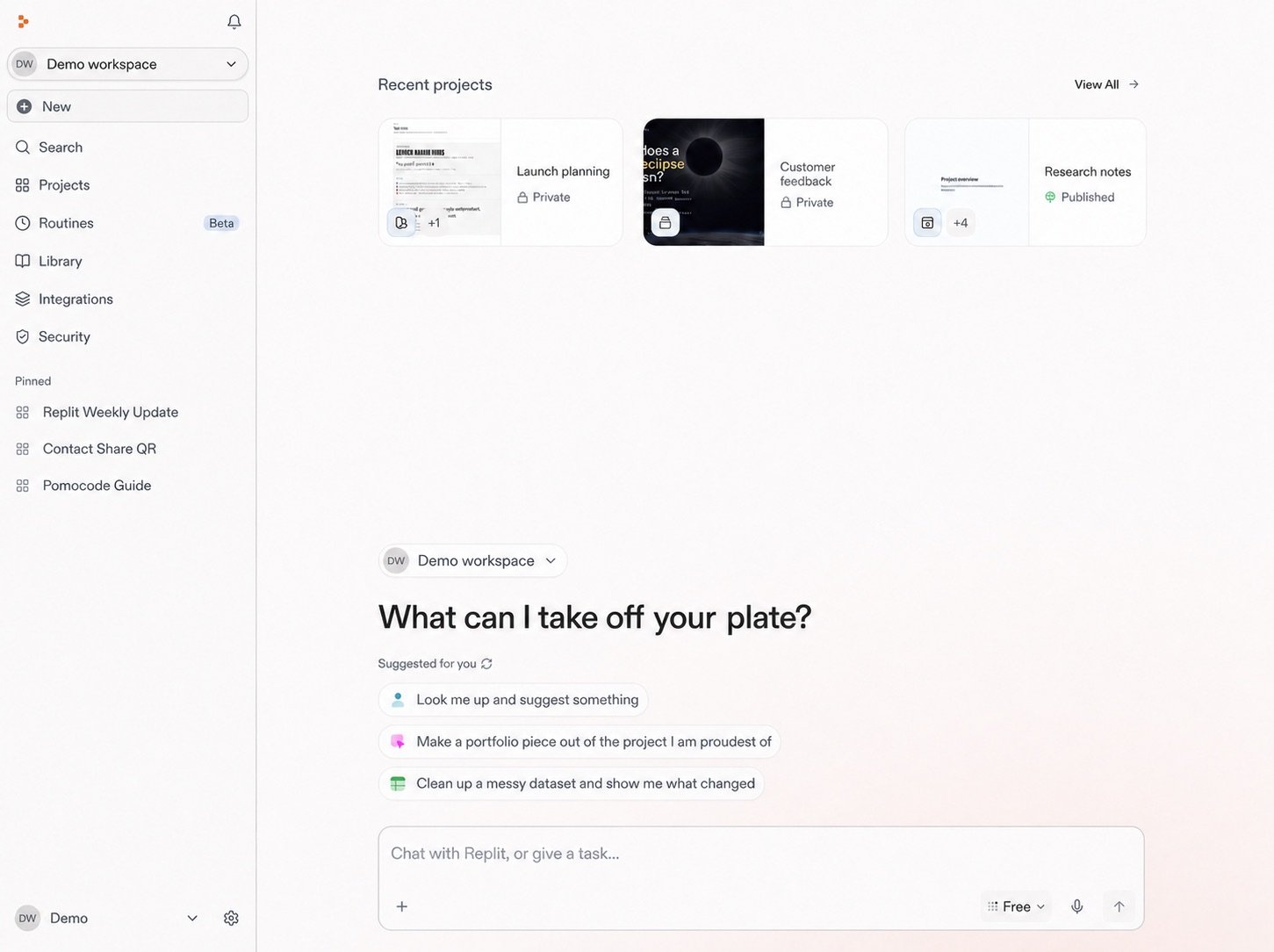 Learn more about [Conversations](/chat/conversations).
### Automate recurring work with Routines
Schedule Replit to repeat work inside a Conversation. Each result returns to the same Conversation, where you can review it and continue working. Routines run in Power Mode or Max Mode and require a budget for each run.
Learn more about [Conversations](/chat/conversations).
### Automate recurring work with Routines
Schedule Replit to repeat work inside a Conversation. Each result returns to the same Conversation, where you can review it and continue working. Routines run in Power Mode or Max Mode and require a budget for each run.
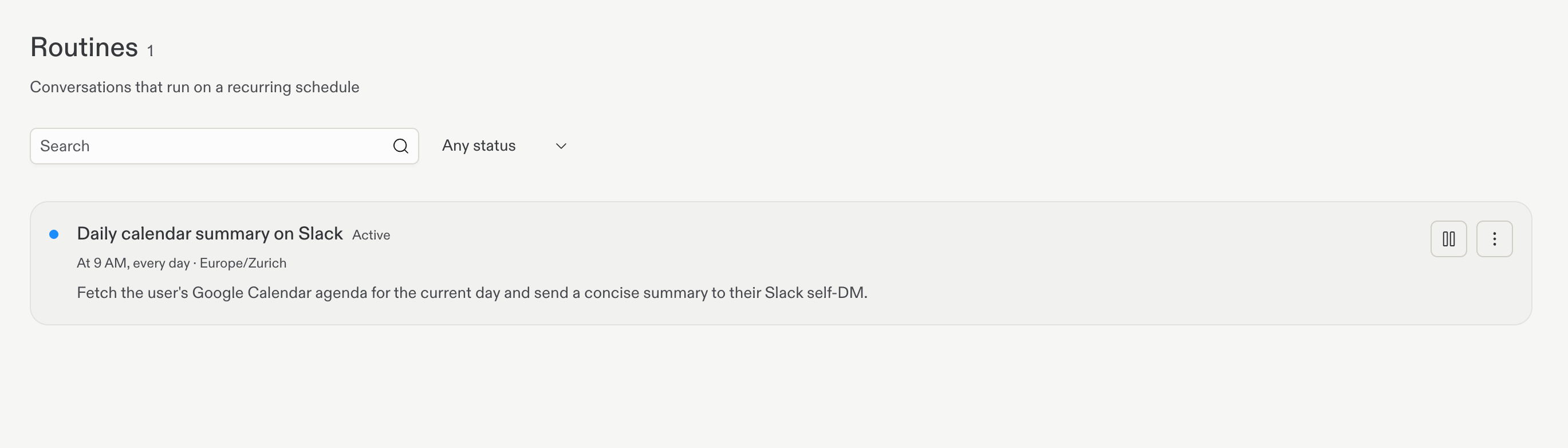 Learn more about [Routines](/chat/routines).
### Steer Agent while working
Send a follow-up while Agent works to add new context to the active turn. Steer is the default in Conversations and Projects, and you can change either preference to Queue in **Settings** > **Personalization**. Press `Cmd+Enter` on Mac or `Ctrl+Enter` on Windows and Linux to use the opposite behavior for one message.
Learn more about [Routines](/chat/routines).
### Steer Agent while working
Send a follow-up while Agent works to add new context to the active turn. Steer is the default in Conversations and Projects, and you can change either preference to Queue in **Settings** > **Personalization**. Press `Cmd+Enter` on Mac or `Ctrl+Enter` on Windows and Linux to use the opposite behavior for one message.
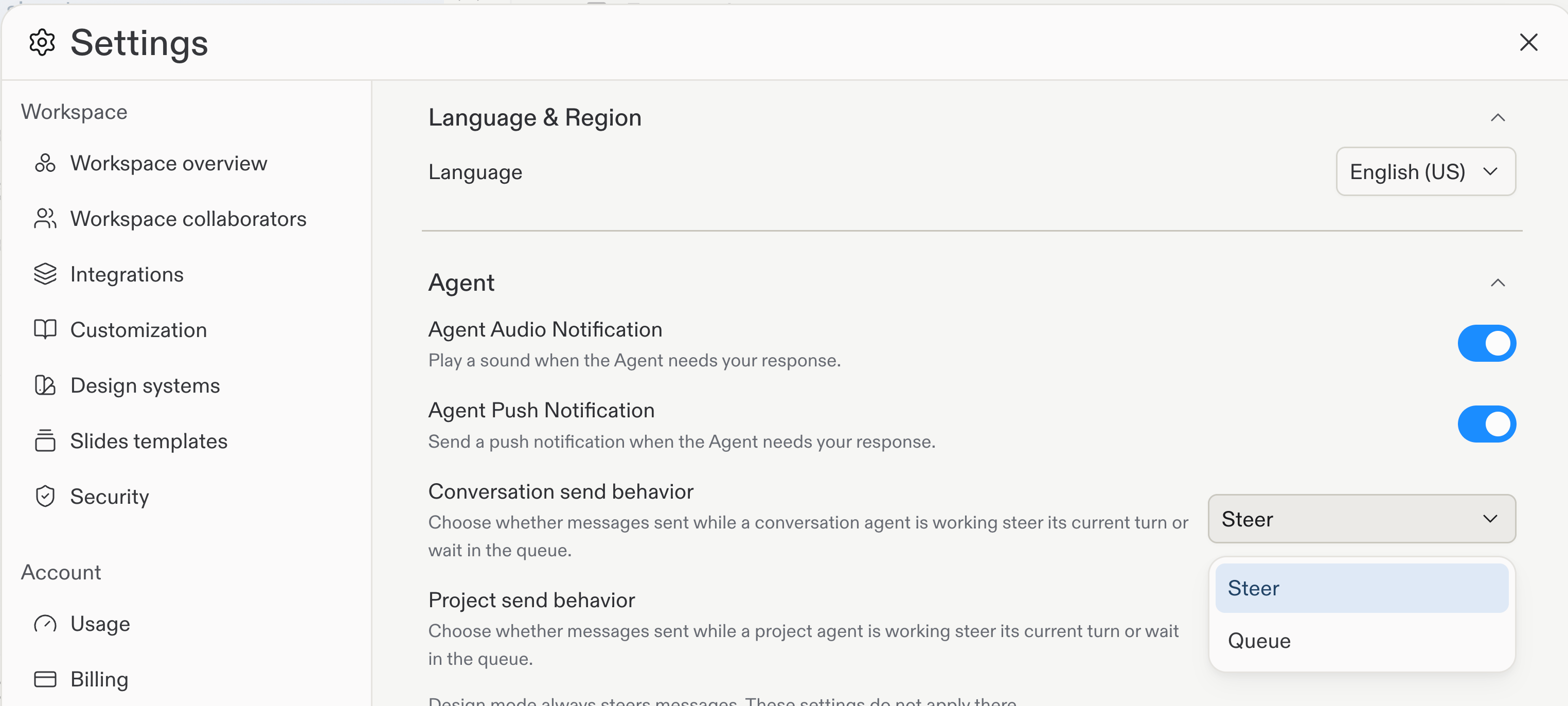 Learn more about [steering and queuing messages](/features/agent/steer-and-queue-messages).
### Import Skills from GitHub
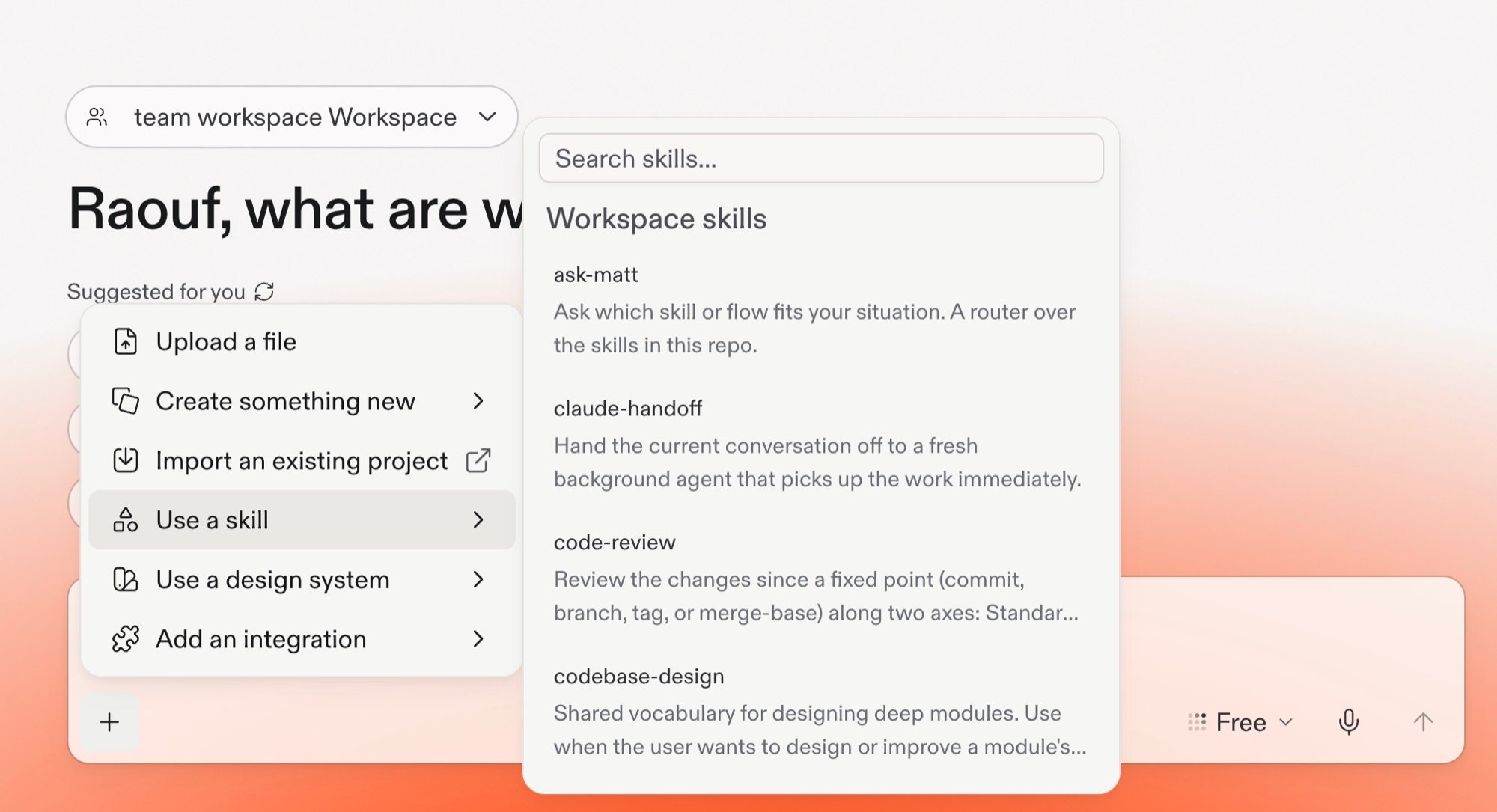
Import Skills from a public GitHub repository, folder, or file URL, then preview the Skill files before you add them. Saved Project Skills also support member access levels of **Required**, **Available**, or **No access**.
Learn more about [steering and queuing messages](/features/agent/steer-and-queue-messages).
### Import Skills from GitHub
Import Skills from a public GitHub repository, folder, or file URL, then preview the Skill files before you add them. Saved Project Skills also support member access levels of **Required**, **Available**, or **No access**.
 Learn more about [sharing and importing Agent Skills](/features/agent/skills#share-project-skills).
## Teams and Enterprise
### Control Agent models across Workspaces
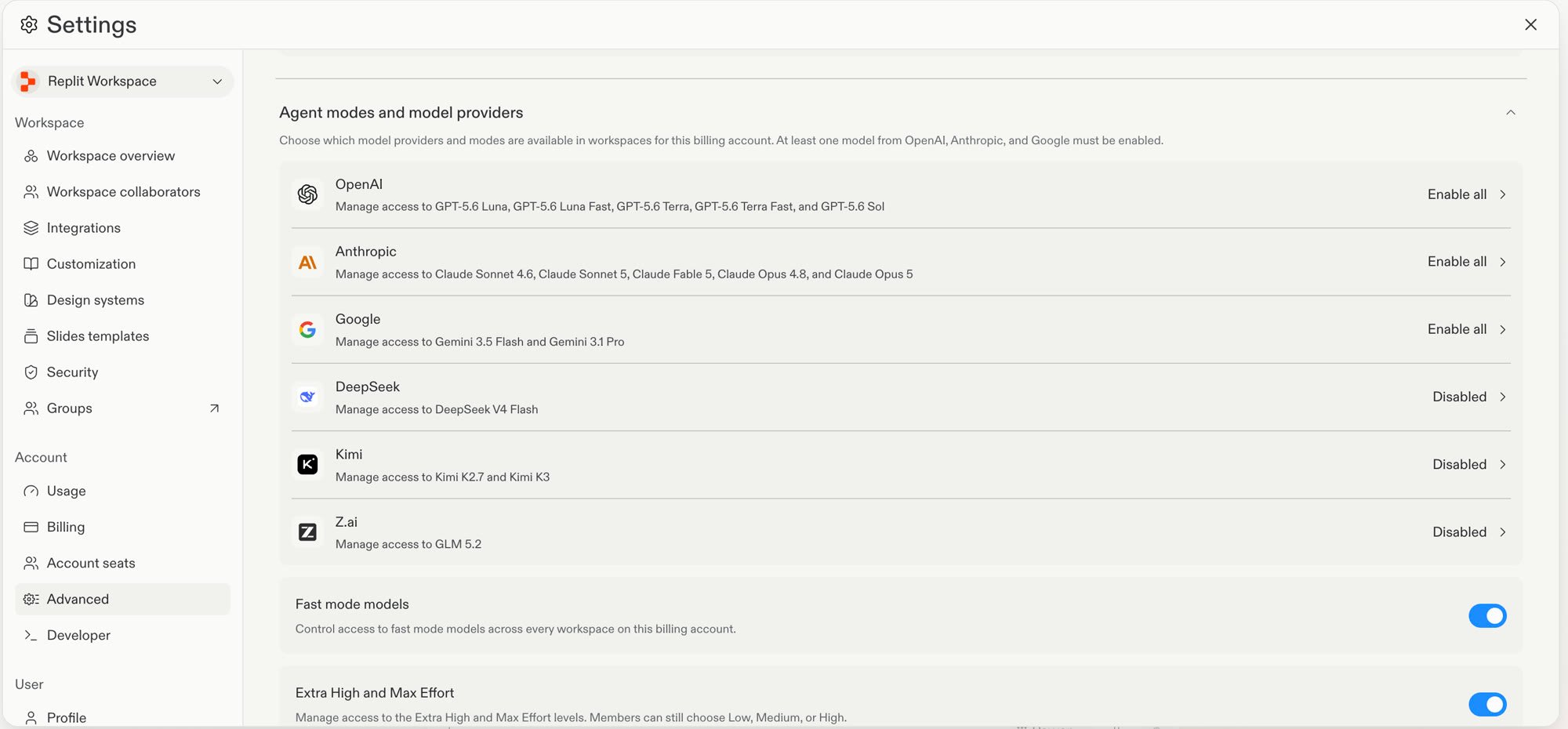
Enterprise account admins can set an account policy for each model provider, then choose which models are available in individual Workspaces. Use **Enable all**, **Enable selected**, or **Disabled** to match your organization's policy.
Learn more about [sharing and importing Agent Skills](/features/agent/skills#share-project-skills).
## Teams and Enterprise
### Control Agent models across Workspaces
Enterprise account admins can set an account policy for each model provider, then choose which models are available in individual Workspaces. Use **Enable all**, **Enable selected**, or **Disabled** to match your organization's policy.
 Learn more about [Enterprise model controls](/features/collaboration/enterprise-model-controls).
## Platform
### Run black-box pen tests
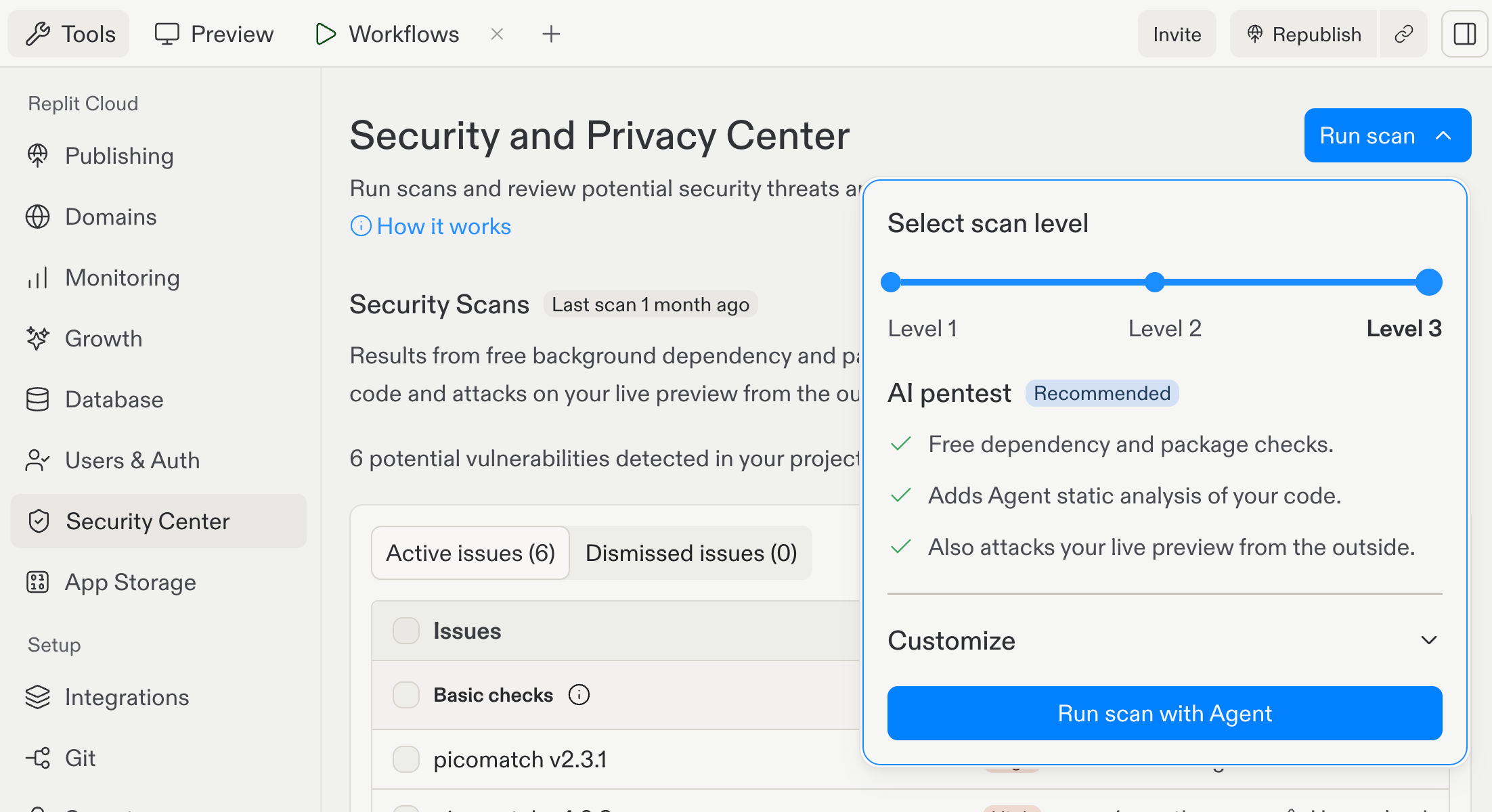
Run a Level 3 security scan to combine three checks. It runs free dependency and package checks, Agent static analysis of your source code, and an external black-box test of the live Preview. Replit runs the source-code review and the outside test in parallel.
Learn more about [Enterprise model controls](/features/collaboration/enterprise-model-controls).
## Platform
### Run black-box pen tests
Run a Level 3 security scan to combine three checks. It runs free dependency and package checks, Agent static analysis of your source code, and an external black-box test of the live Preview. Replit runs the source-code review and the outside test in parallel.
 Learn more about [black-box pen tests](/features/security/black-box-pen-tests).