

Personal vs. team workspaces
A workspace is the structure that holds your apps, members, settings, and billing. Replit has two types:- Personal workspace
- Team workspace
Personal workspace is best when you’re working solo or sharing individual projects with others. You’re the sole admin, and other people can only access specific projects you invite them to as project-level guests.
Team workspace is best when you’re building with a regular group — a startup team, a class, or a client project with multiple contributors. Members get access to all projects in the workspace, so you don’t have to invite them one by one to each project. Members are managed centrally from Settings.
When to invite to your workspace vs. to a project
Create a team workspace
1
Open workspace switcher
In the home page, click your workspace name in the top-left corner.
2
Create a new workspace
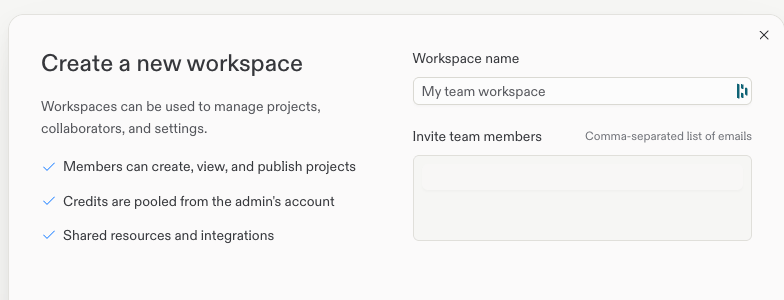
Select Create workspace and choose a name for your team workspace.
3
Invite members
Enter one or more email addresses (comma-separated) in the invite field. Invitees receive an invitation and gain access to all projects in the workspace once they accept.
Managing members
If you didn’t invite members during setup, or need to add more later, go to Settings > Workspace collaborators in your team workspace and invite members by email or Replit username.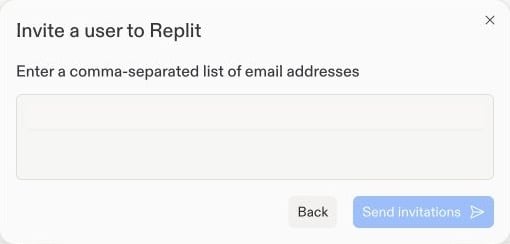
- Remove members to revoke their access to all workspace projects
- Transfer projects from personal workspaces into the team workspace — see Transfer app to teams
Availability
Next steps
Invite teammates
Invite people to a specific project and build together with Agent.
Pro and Enterprise
Enterprise features: SSO/SAML, groups, permissions, and audit logs.