

The fastest way to get started is to ask Agent to add a database to your app. Agent will set up the integration, create the database schema, and update your app to store and retrieve data.
Features
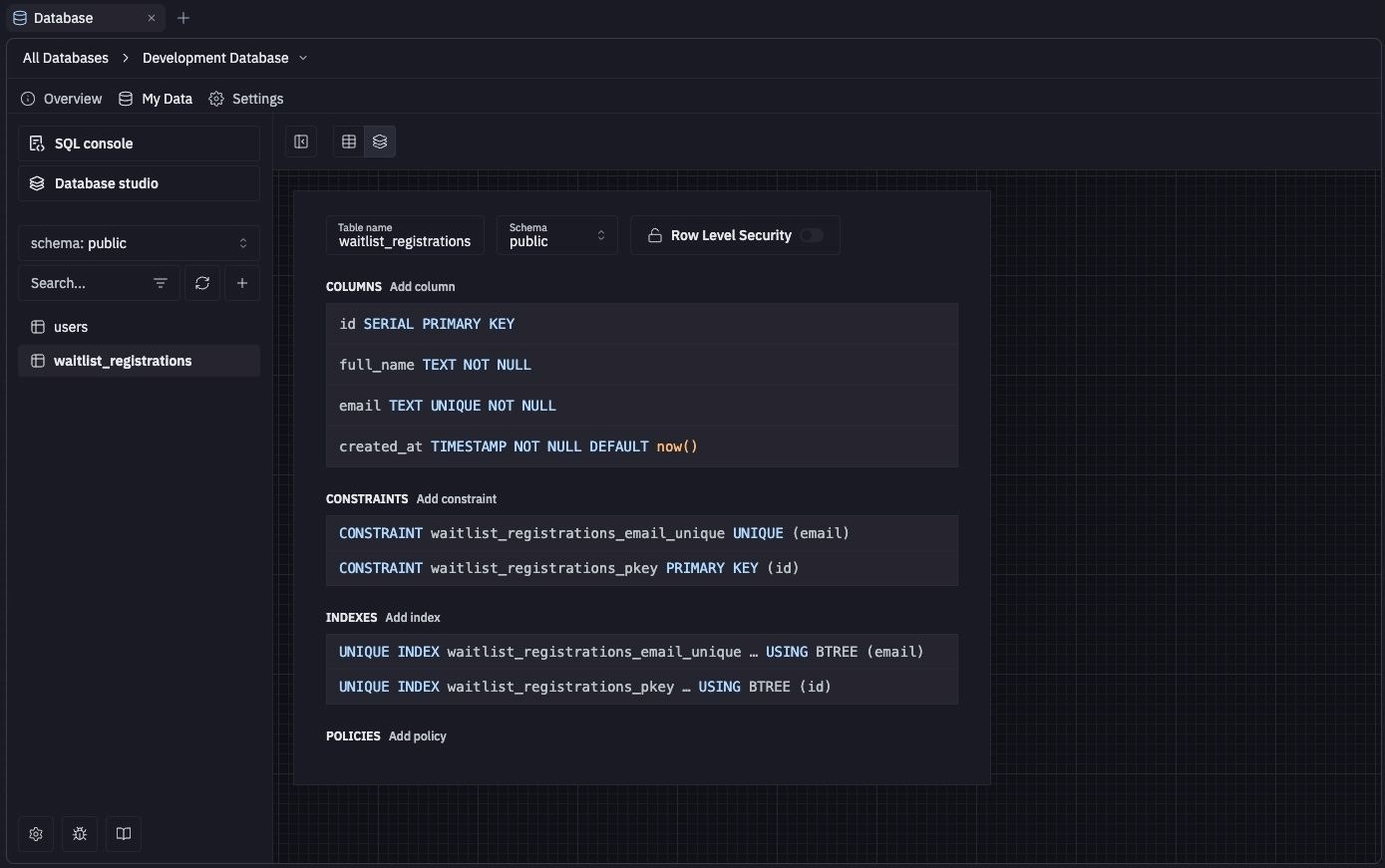
The Replit Database tool provides the following features:- Database tools: Run queries, manage database schema, and visualize data with the built-in SQL tools
- Time travel: Restore your database to any Agent checkpoint. See Data recovery
- Free storage: Includes 20GB of free storage for every Replit App.
- Environment variables: Use environment variables in your Replit App to securely access the database
Prior to December 4th, 2025, the development database was hosted on Neon and has a few crucial differences.
See Development and production for more details.
Usage
You can access the Replit Database tool directly in the Project Editor. The following sections guide you through setting up and managing your Database.How to access the Database tool
How to access the Database tool
- Open the Tools pane and select Database under Replit Cloud.
- The landing view lists your databases. Select one, such as Development Database, to open it.
- Overview: The tables in your database.
- My Data: Browse and edit rows, or run SQL queries.
- Settings: The connection string, storage usage, and connection details.
Add a database
All Replit Apps come with a database by default. You can access it by selecting the Database tool in the Project Editor.
You can integrate the database with your Replit App by asking the Agent to add a PostgreSQL database to your Replit App,
including details on what data your Replit App should store. The Agent will create the database schema
and update your app to communicate with the database.
Database tool in the Project Editor.
You can integrate the database with your Replit App by asking the Agent to add a PostgreSQL database to your Replit App,
including details on what data your Replit App should store. The Agent will create the database schema
and update your app to communicate with the database.
Security features
When you add a database integration using Agent, it adds an Object-Relational Mapper (ORM) that handles all database communications with built-in security. This ORM layer, combined with Agent’s security best practice implementation, protects your app from exploits through the following features:- Schema validation: Verifies data conforms to expected formats
- Data sanitization: Automatically cleans up builder input to prevent SQL injection attacks
Next steps
- Development and production: Your two databases, the infrastructure upgrade, and the legacy Neon comparison.
- Work with your data: Browse, edit, and query your data.
- Connection details: Credentials and external tools.
- Data recovery: Restore development or production data.